Server maintenance, from alert to audit, in one flow.
Opruco is an operations platform that connects monitoring, decisions, approval, execution, notifications, and audit. It handles everything from receiving an alert to recording the response in a single flow. Depending on its impact, each action either runs automatically or waits for human approval.
Now in closed beta, as a cloud service.
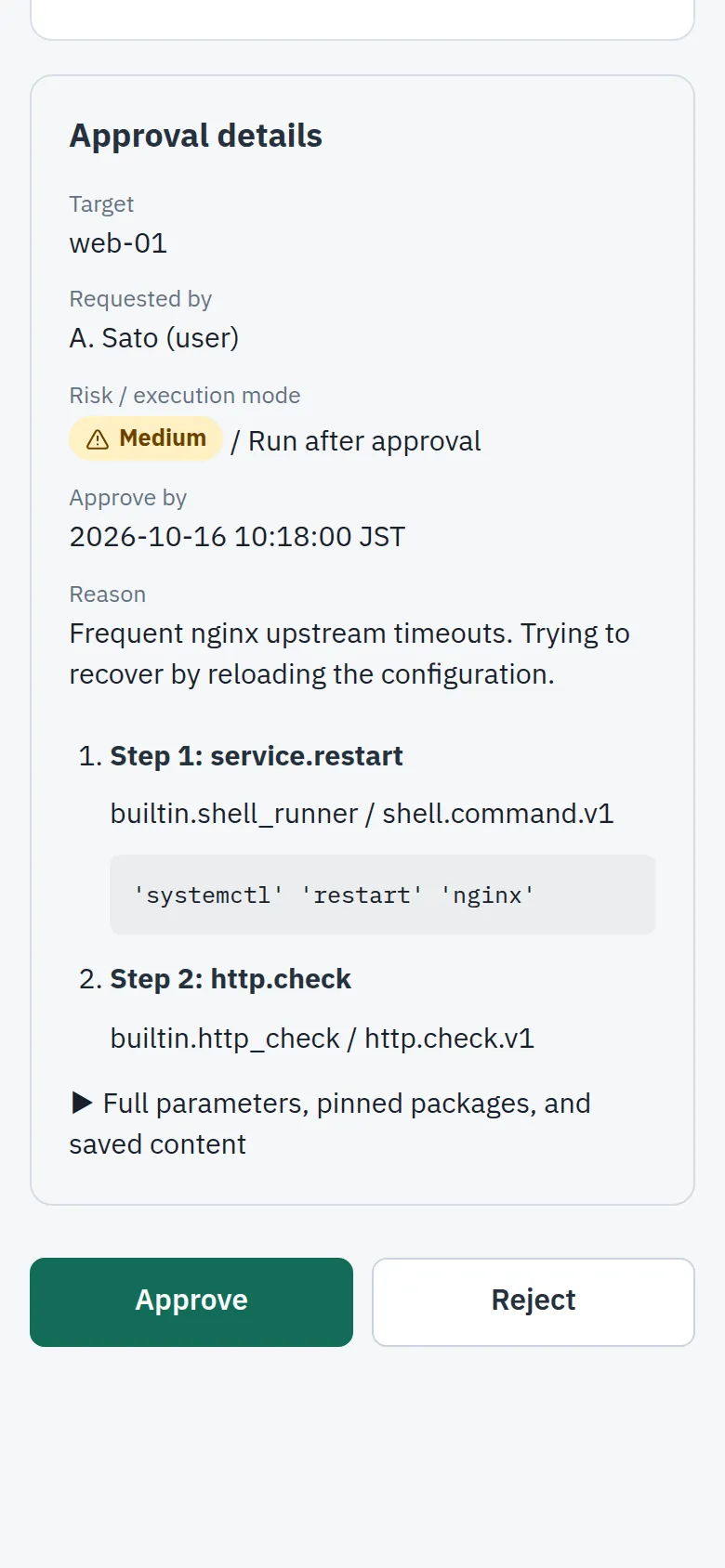
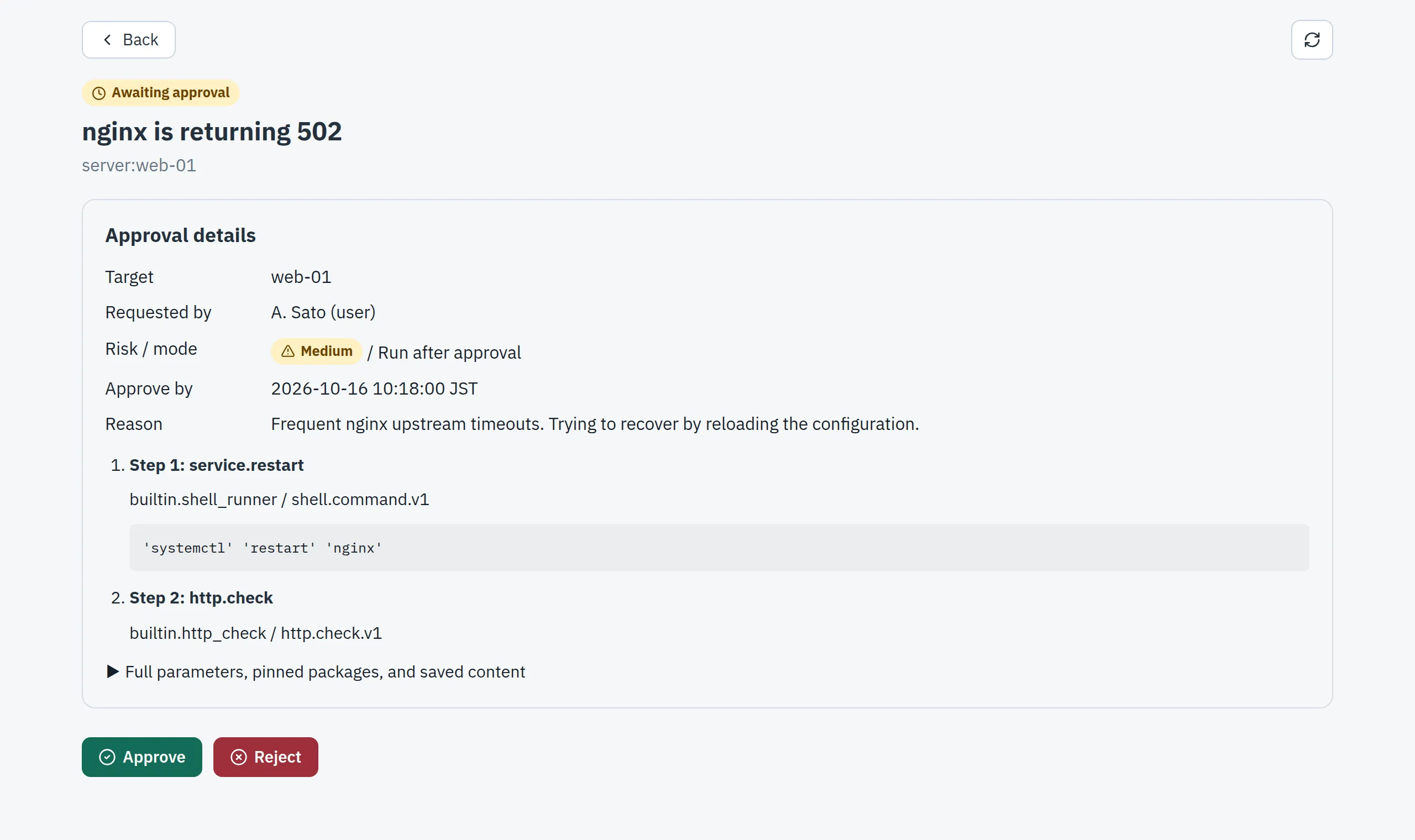
nginx on web-01 is returning 502. A restart plan is awaiting approval.
Awaiting approvalrunner → web-01
$ systemctl restart nginx
ok http.check 200
Connects with the tools you use
These are the services we are building connections for while Opruco is in development. We are checking each one against the real service, one by one.
Company names and logos are trademarks of their respective owners.
Monitoring
 Prometheus Alertmanager
 Datadog
- Mackerel
- Zabbix
- Amazon CloudWatch
Secret stores
 1Password
 HashiCorp Vault
- AWS Secrets Manager
Notifications
 Slack
- Microsoft Teams
 Discord
 Google Chat
- Chatwork
 LINE
AI agents
 MCP-compatible agents
Company names and logos are trademarks of their respective owners.
Say nginx goes down in the middle of the night
This is the response flow we are building into Opruco, which is still in development. The scene is an example.
-
02:14
Monitor
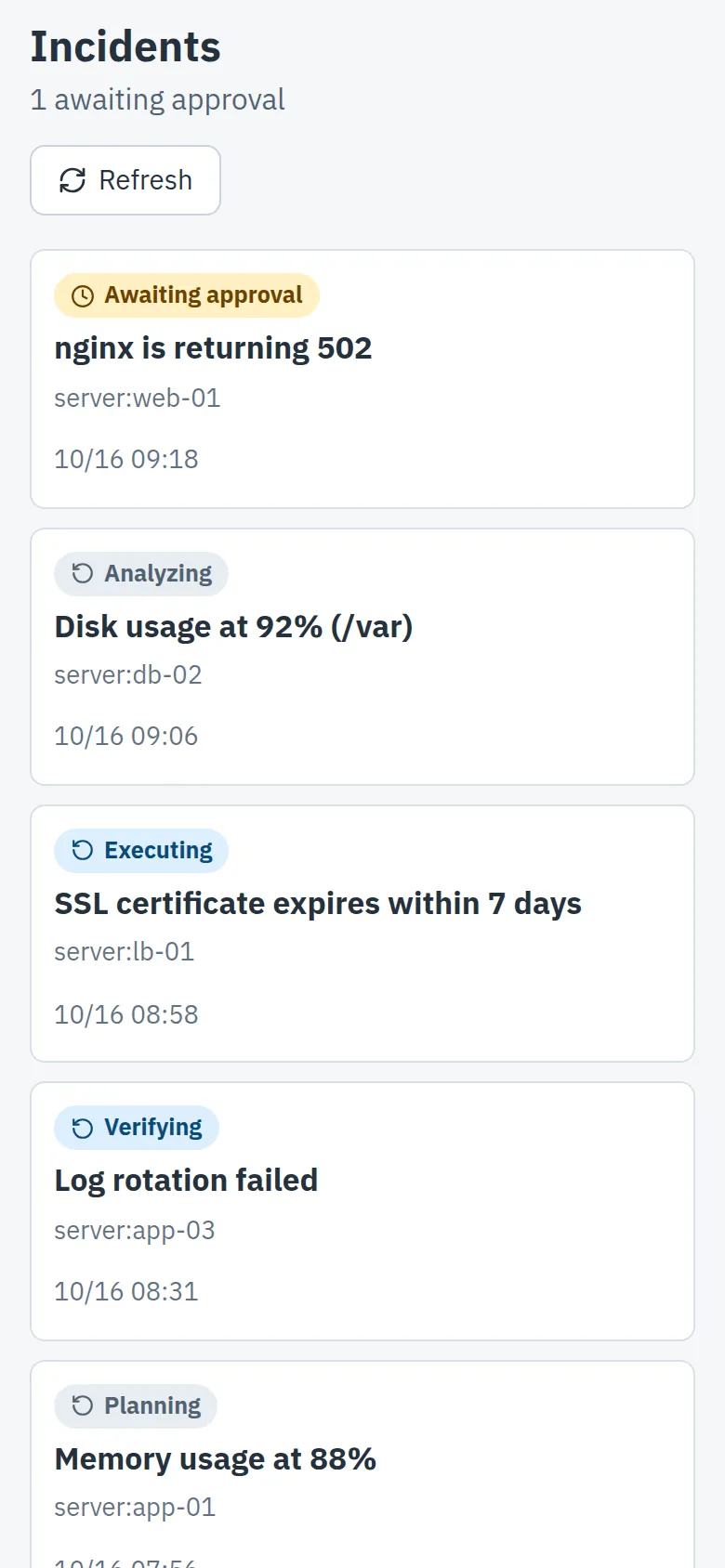
Your monitoring tool reports that nginx on web-01 is returning 502. Opruco normalizes incoming alerts into one format.
-
02:14
Decide
Based on rules you define, Opruco picks the procedure (runbook) and builds a plan. Here, the plan is to restart nginx and check that it responds.
-
02:16
Approve
The on-call engineer opens the plan on their phone, checks the target, steps, and reason, then approves it.
-
02:16
Execute
Opruco's execution component, the Runner, re-checks the approved plan right before running it, then runs it on web-01.
-
02:17
Notify
The result (completed or failed) is posted to your chat.
-
09:30
Audit
The next morning, you check the record of who approved what and what was run. The record is kept in a form where tampering can be detected.
How it works
This is how Opruco, still in development, is put together. The keys used to access your servers stay in your own secret store. Opruco does not store them in its cloud.
Alerts from your monitoring tool are received by the Opruco cloud and normalized into one format. When an approver reviews and approves the plan, the Runner receives the approved plan. The Runner reads keys from your secret store only at run time, and runs the plan on your servers. The result is posted to your chat.

What Opruco makes easier
Opruco is still in development. These are the goals we are building toward.
Choose how approval works
Depending on its impact, an action can run automatically, run after approval, or stop at a suggestion. You can also set how many approvals are needed and which roles can approve. Built-in actions that make changes always require human approval.
We don't store your server keys
The keys used to access your servers stay in your own secret store (such as 1Password). Opruco's execution component, the Runner, reads them only at run time.
Everything is on record
You can trace approvals and executions afterward, step by step.
AI agents go through the same flow
Change requests from AI agents (via MCP) run only after human approval, and are recorded. Agents cannot approve requests themselves, and cannot ask for arbitrary commands.
Connect procedures with workflows
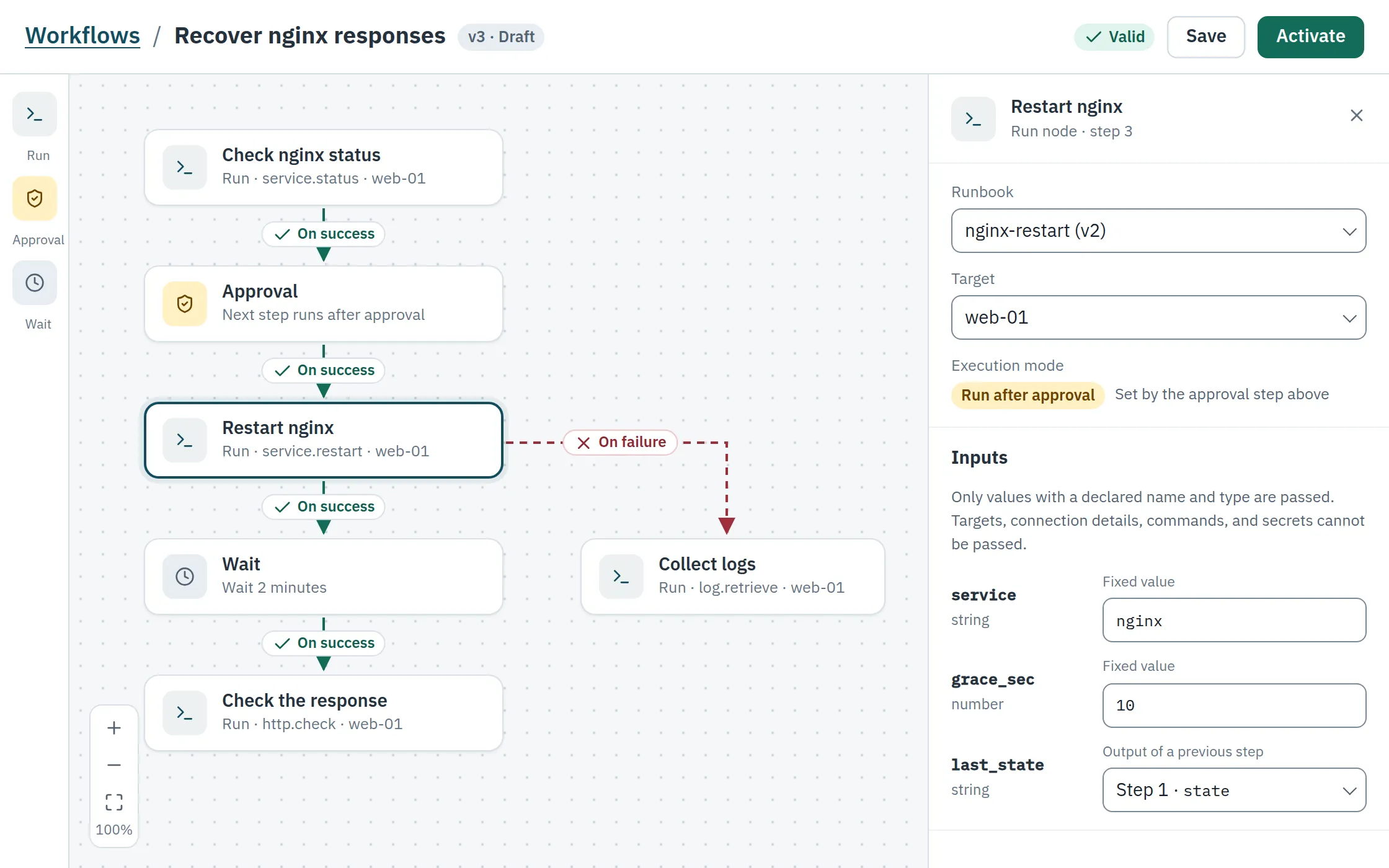
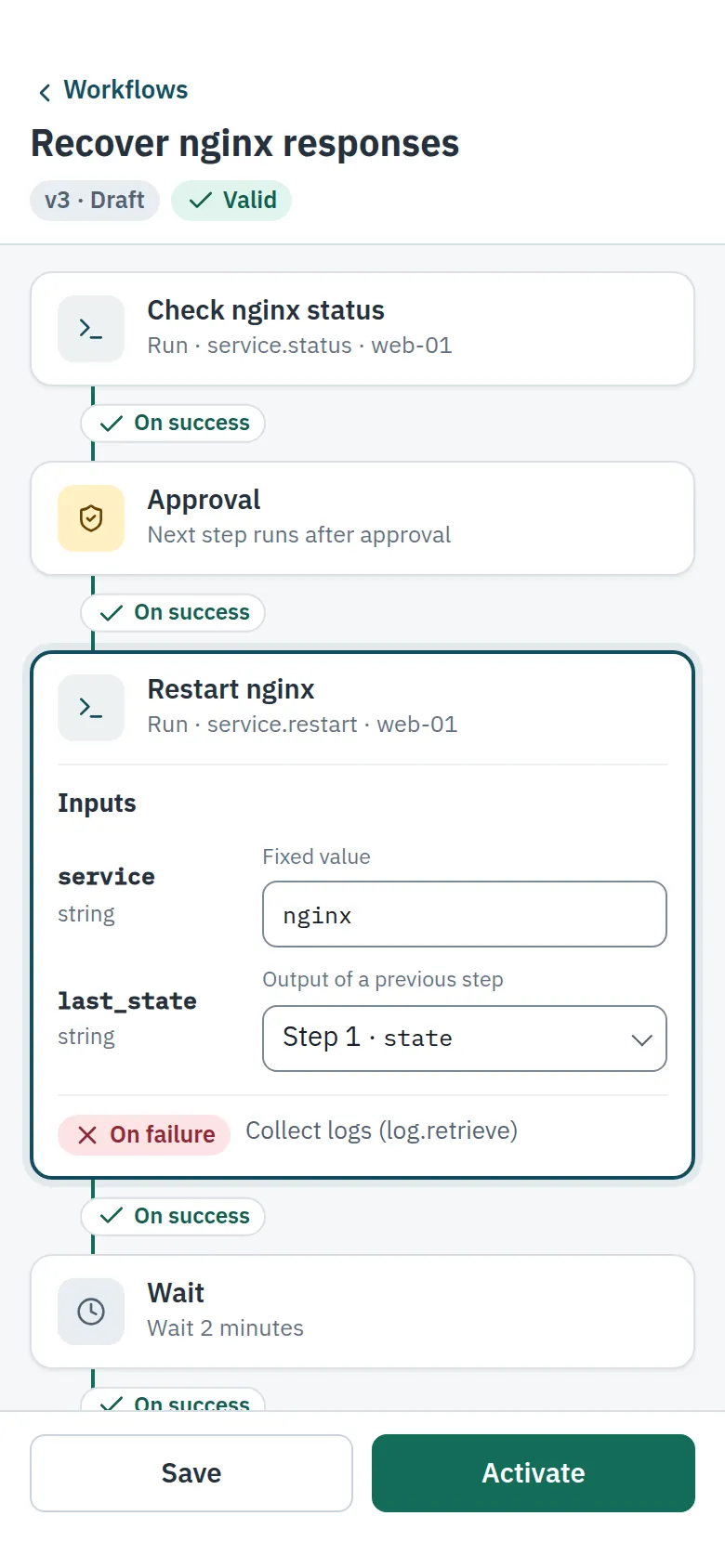
Connect separate procedures (runbooks) into one flow, with approval and wait steps in between. You decide where the flow goes when a step succeeds or fails. Only values with a declared name and type are passed between steps.
Who we're building it for
Companies that maintain servers for clients
So you can handle routine work on your clients' servers, with approval and a record of every step.
IT staff at small and mid-sized companies
So even a small or part-time team can standardize how alerts are handled and keep track of who did what.
Where we are
Opruco is a cloud service, now in closed beta with a limited group of users. If you're interested, please get in touch.